
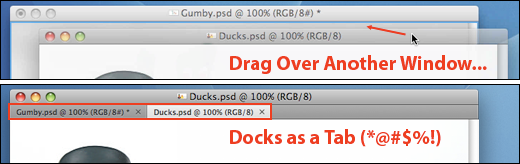
 Photoshop CS4 introduced document tabs that make it easy to switch between a variety of open images. It’s a terrific feature that I usually like a lot.
But there are days the tabs feature drives me crazy! If you’ve ever dragged one Photoshop window over another, only to have it sucked in as a new tab, you know what I mean.
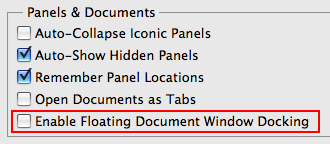
So for you, a checkbox in Photoshop’s Interface preferences: Turn off "Enable Floating Document Window Docking" and say goodbye to that annoying feature.
Source: Working with lots of small images for our tips newsletter, this is one of the very first preferences I disabled in CS4. Adobe even posted a recent technote covering how to How to un-tab image windows in Adobe Photoshop CS4.
